Reporting System
The Reporting System gives you full flexibility to analyze your performance exactly the way you want. Whether you want a quick breakdown or a deep, multi-layered analysis, this page lets you generate, filter, and save custom reports for any domain and any metric.
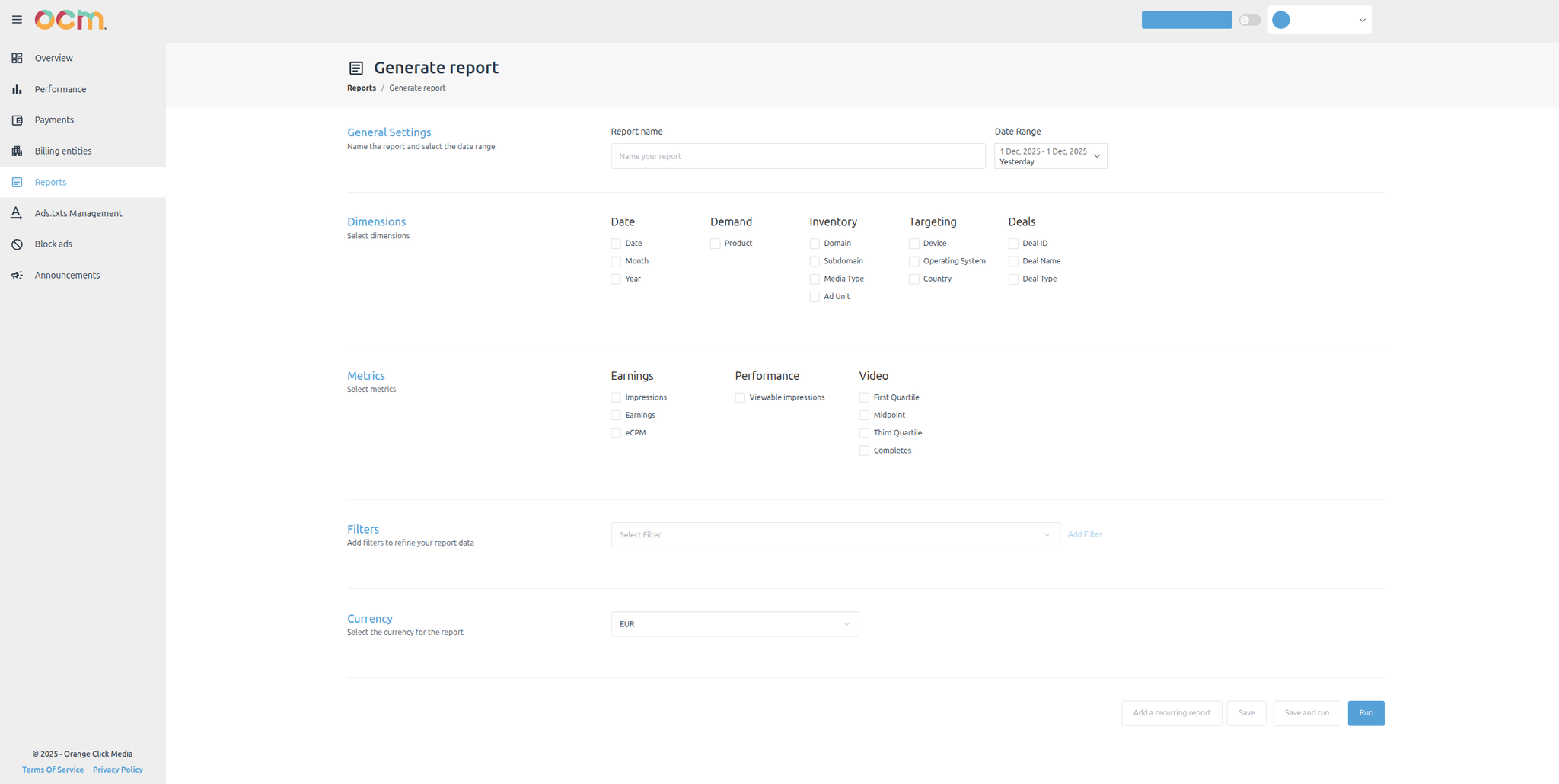
Report Features
Report Creation
Combine any dimensions and metrics across all domains, products, and inventory types.
Currency Options
- EUR (€)
- USD ($)
Save & Automate
- Save reports for future use
- Automate recurring reports on a schedule
Available Dimensions
You can build your reports using any of the following dimensions:
Date
- Date
- Month
- Year
Demand
All ad products described earlier (Display, Video, Native and their sub-products)
Inventory
- Domain
- Subdomain
- Media Type
- Ad Unit
- Device
- Operating System
- Country
- Deal ID
- Deal Name
- Deal Type
These dimensions allow you to slice your data across content, format, geography, device type, and commercial setups.
Available Metrics
Your report can include any of the following metrics depending on the type of analysis you want:
Core Metrics
- Impressions
- Publisher Earnings
- eCPM
- Viewability
- Viewable Impressions
Video Metrics
These metrics help you understand how users interact with video content:
| Metric | Description |
|---|---|
| First Quartile | 25% of the video watched |
| Midpoint | 50% watched |
| Third Quartile | 75% watched |
| Video Completes | 100% watched |
These KPIs are essential for understanding video engagement and campaign completion rates.